Administrative Safeguards
Guide and document the organizational work that keeps a HIPAA program moving.
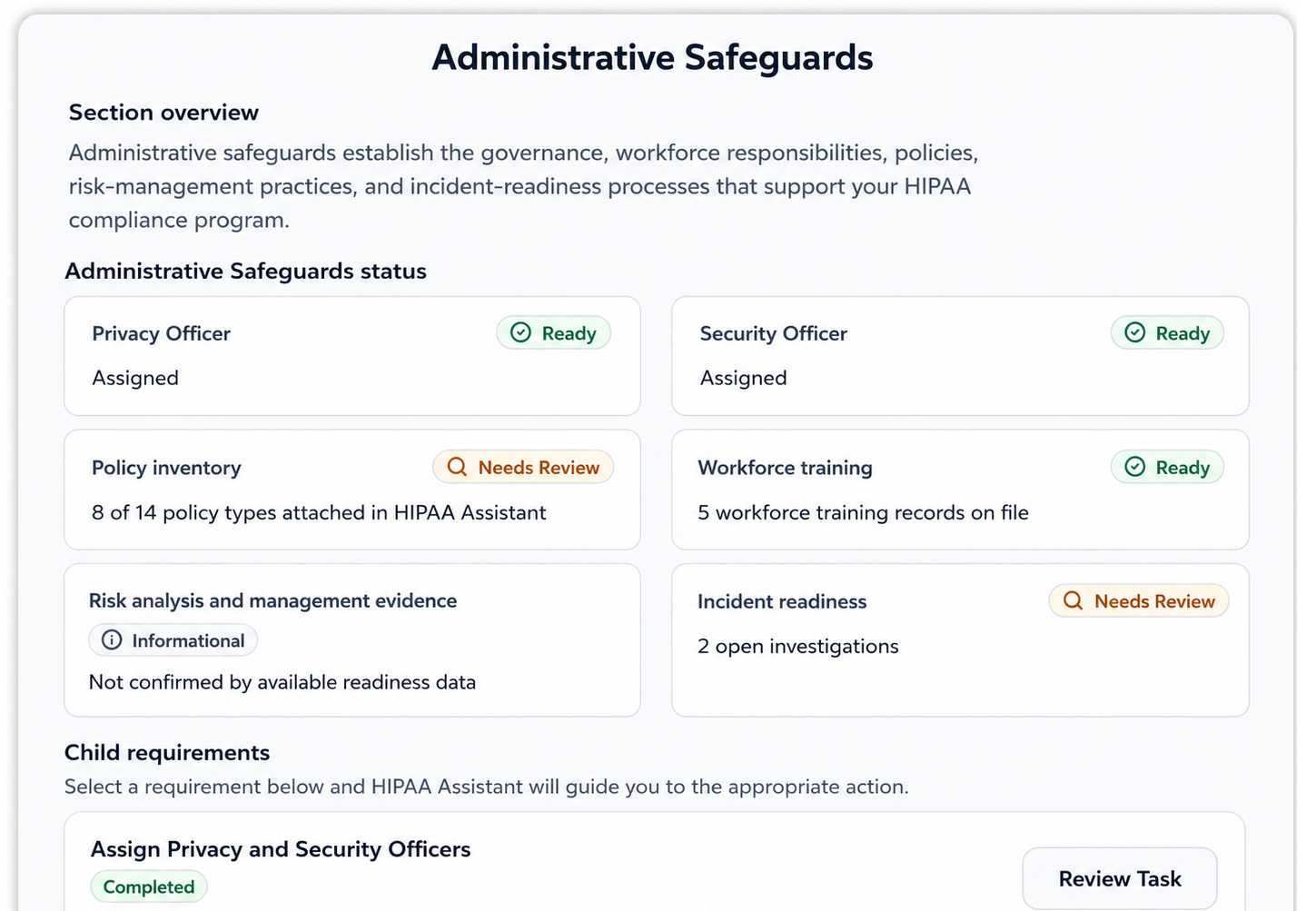
- Risk analysis and risk management
- Policies, workforce training, and recurring activities
- Incident documentation and Business Associate workflows
HIPAA & Security
HIPAA Assistant by SecurePractice helps small healthcare practices work through safeguard requirements, organize policies and supporting evidence, monitor readiness, and prepare audit materials in a secure platform.
Guided compliance, secure foundation
HIPAA Assistant supports the work. Your practice makes the decisions and explicitly marks applicable tasks complete after review.
HIPAA safeguards
HIPAA Assistant provides guided workflows for Administrative, Physical, and Technical Safeguard activities your practice is responsible for evaluating and carrying out.
Guide and document the organizational work that keeps a HIPAA program moving.
Work through the policies, procedures, and evidence behind protections in your facilities.
Evaluate and document how your practice protects electronic PHI in its own systems.
Workforce Compliance
Track workforce members, required training, assignments, completions, and supporting evidence. Security Awareness remains a separate ongoing program for reminders, campaigns, phishing simulations, meetings, and other awareness activities.
HIPAA administrative safeguard standards call for workforce training appropriate to each member's role. Documenting requirements and completions creates an audit-ready operational record.
Security awareness is an ongoing operational safeguard distinct from formal course completions, keeping security hygiene active throughout the year.
Audit Wizard
The Audit Wizard uses current organization information and records to focus audit preparation. Readiness indicators are working signals, not official scores, legal determinations, or guarantees of an audit outcome.
Review current checklist, policy, evidence, training, incident, BAA, and control signals to find areas that may need attention.
Choose and generate the report or evidence package that matches the scope and period of a request.
Connect common auditor questions to relevant records, guidance, and helpful reports so your team can prepare factual responses.
Document requests, organize correspondence, review remediation work, and update audit materials after an audit.
Your compliance program
HIPAA Assistant brings ongoing work and supporting records together. Your organization remains responsible for implementing safeguards and making its own operational and legal decisions.
Policies and supporting evidence
HIPAA Assistant keeps compliance work connected without treating file storage as compliance by itself.
Review why a requirement matters, practical completion steps, relevant product destinations, and examples of records an auditor may review.
Review and maintain policy documents, attachments, current status, and policy guidance in a workspace connected to compliance workflows.
Organize policies, BAAs, training records, incident documentation, and operational evidence for use in ongoing work and Audit Materials.
Uploading a file does not automatically complete a Checklist requirement. Your team explicitly marks applicable work complete after review, and records maintained outside HIPAA Assistant can remain valid.
Readiness and reporting
Readiness is easier to review when checklist activity, policies, evidence, training, incidents, and Business Associate records are maintained throughout the year.
Review a chronological history of checklist, document, training, incident, organization, team, and Audit Materials activity with actor and date context.
Export a time-based PDF or CSV record of compliance activity for internal review or an audit request.
Generate a current-state PDF summary of key compliance status and supporting information.
Package selected supporting records and generated audit materials in a structured ZIP.
Generate a readiness-oriented PDF based on current application data and a selected evidence period.
These outputs help organize and present relevant records for internal review or an audit. They do not certify compliance, replace professional judgment, or guarantee that a record set is complete.
Secure foundation
SecurePractice protects information within the service while your practice manages its own safeguards and access decisions.
HIPAA Assistant runs on Google Cloud and Firebase managed services. TLS protects data in transit, and app data and file storage are encrypted at rest.
Organization membership, roles, plan entitlements, Firebase Security Rules, and server-side authorization checks scope access to customer data and sensitive actions.
Key checklist, document, incident, team, and agreement events can be recorded with timestamps and user attribution for accountability and review.
Review additional operational safeguards and security documentation in the SecurePractice Trust Center.
Authentication and access
HIPAA Assistant combines account security with role-aware permissions. Your practice still decides who should have access and how workforce access is managed.
Individual accounts keep access associated with the person performing the work.
Premium accounts require one enrolled method: authenticator-app TOTP or SMS multi-factor authentication.
Role and organization membership checks scope administrative, reporting, document, and compliance actions.
Inactivity warnings and automatic sign-out help limit stale sessions on shared or unattended devices.
Business Associate responsibilities
SecurePractice's responsibilities for handling PHI through the service are distinct from your practice's responsibilities for its own vendors, workforce, systems, and safeguards.
When Customer Data includes PHI, SecurePractice acts as a Business Associate under the applicable agreement and applies HIPAA safeguards when handling that information. Premium organization owners can review and accept the SecurePractice Business Associate Agreement in the app; acceptance is recorded and a confirmation PDF is saved.
Your practice identifies its Business Associates, determines when downstream BAAs are required, executes those agreements, and maintains the records. HIPAA Assistant provides guided workflows to organize Business Associate records, agreements, and supporting evidence; it does not make the legal determination or execute agreements for you.
Start with the free checklist and add guided workflows, organized documentation, collaboration, and audit preparation when your practice needs them.